
Customers often contact a business for simple reasons.
They may want to check an order, download an invoice, update contact information, submit a support request, renew a service, or view the status of an application.
When every request requires a phone call or email, customers wait longer and employees spend time answering repetitive questions.
A customer self-service portal provides a secure online space where customers can complete common tasks on their own.
What Does a Customer Portal Do?
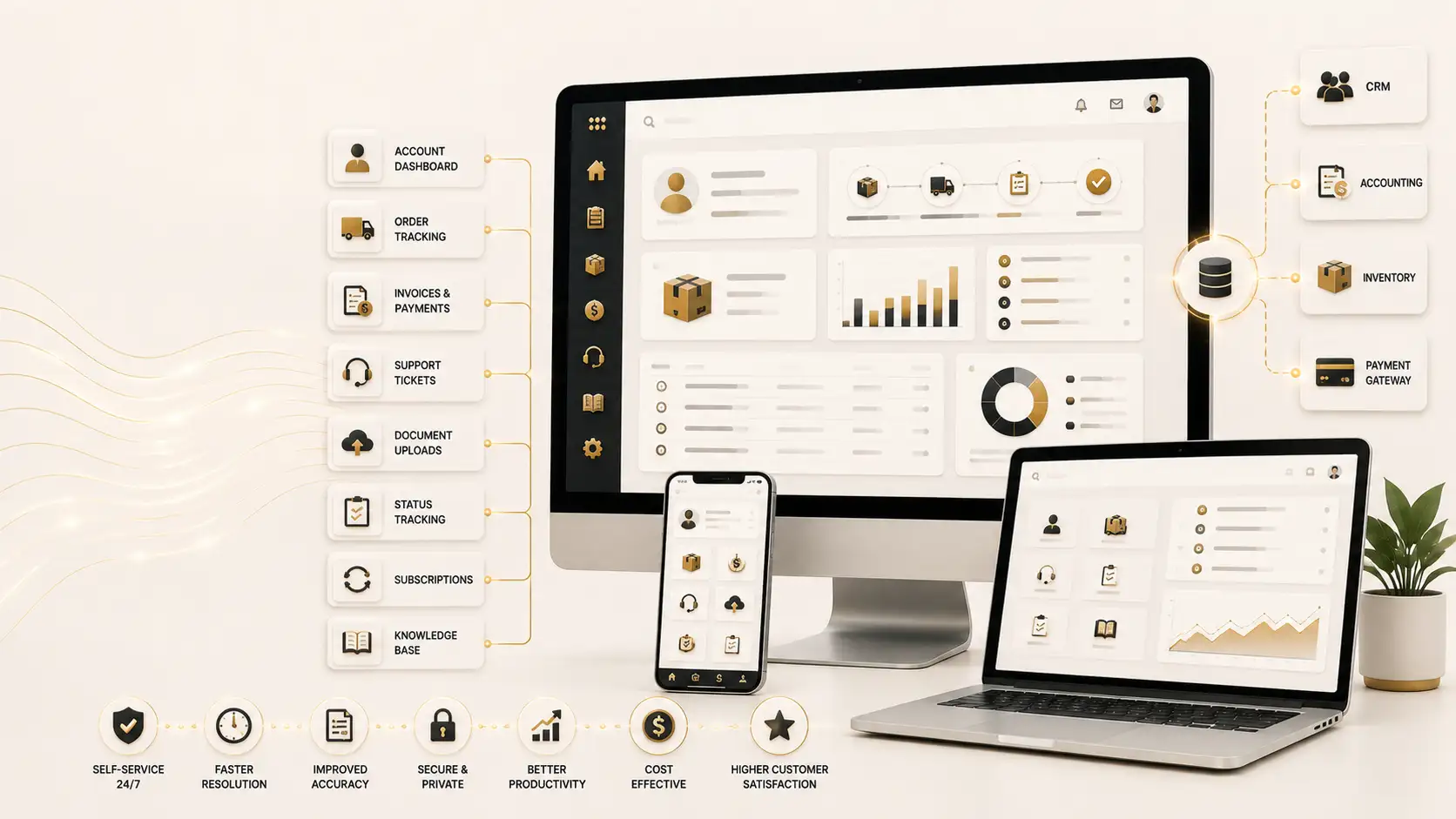
A customer self-service portal connects users with information and services related to their relationship with a company.
Depending on the business, customers may be able to:
- View account information
- Track orders
- Download invoices
- Make payments
- Submit support requests
- Upload documents
- Check request status
- Update profile details
- Access contracts
- Renew subscriptions
- Review service history
- Read help articles
- Communicate with support teams
The portal should not simply copy internal software and expose it to customers. It should provide a clear, simplified experience designed around customer needs.
Benefits for Customers
Convenience is the most obvious benefit.
Customers can access services outside office hours and avoid waiting in call queues. They can also view accurate information directly rather than depending on a staff member to provide an update.
A portal can create greater transparency.
For example, a customer who submits a service request can see whether it has been received, assigned, scheduled, or completed.
This reduces uncertainty and repeated follow-up calls.
Benefits for the Business
A self-service portal can reduce routine administrative work.
Customer service employees spend less time sending documents, confirming balances, and checking request status. They can focus on complex issues that require judgment or personal attention.
The portal can also improve data quality. When customers update their own contact details or submit information through structured forms, the business receives more complete and standardized data.
Other potential benefits include:
- Lower support volume
- Faster service delivery
- Better customer experience
- Improved recordkeeping
- Reduced printing and paperwork
- Increased payment convenience
- Stronger customer retention
Common Types of Customer Portals
Support Portals
A support portal allows customers to create tickets, track progress, view previous requests, and search a knowledge base.
E-Commerce Account Portals
Customers can review orders, manage addresses, download receipts, request returns, and track deliveries.
Financial Service Portals
Users may view statements, upload documents, make payments, or manage applications. Security and regulatory requirements are especially important in this context.
Utility and Subscription Portals
Customers can view bills, submit meter readings, update plans, or manage recurring services.
Business-to-Business Portals
Corporate customers may place bulk orders, view negotiated prices, download statements, submit purchase orders, and manage multiple users.
Practical Example
Imagine a commercial cleaning company serving 300 offices.
Customers frequently email the company to request additional services, report issues, download invoices, and confirm upcoming schedules.
The support team receives dozens of routine messages every day. Some requests are forwarded between departments, making it difficult to confirm who is responsible.
The company introduces a self-service portal.
Each customer can log in, view service locations, check scheduled visits, download invoices, submit special cleaning requests, and track issue resolution.
The portal sends requests to the correct department automatically.
Customers receive faster updates, while the support team gains a centralized record of communication.
The portal does not remove human service. It makes human service more focused.
Features to Include
A strong customer portal should be designed around the tasks customers perform most often.
Important features may include:
- Secure login
- Mobile-friendly design
- Account dashboard
- Search
- Document access
- Online forms
- Notifications
- Payment integration
- Status tracking
- Support tickets
- Frequently asked questions
- User profile management
The interface should use familiar language. Internal department codes and technical terms may confuse customers.
Security Is Essential
Customer portals often provide access to personal, financial, or commercial information.
Security measures may include:
- Strong authentication
- Role-based permissions
- Encryption
- Session controls
- Audit logging
- Secure password recovery
- Monitoring
- Regular updates
- Backup and recovery procedures
Business customers may need multiple user roles. For example, one user may place orders while another approves payments.
The portal should ensure that each user sees only the appropriate information.
Integration With Internal Systems
A portal becomes much more useful when it connects with the company’s internal applications.
Possible integrations include:
- Customer relationship management
- Accounting
- Order management
- Inventory
- Payment gateways
- Support platforms
- Document management
- Delivery systems
Without integration, employees may need to copy customer requests manually into another system. This weakens the efficiency gained from self-service.
Web Portal or Mobile App?
Many self-service services can be delivered effectively through a responsive web portal.
A portal works across devices and does not require customers to install an application.
A mobile app may be useful when the service requires frequent use, push notifications, offline access, camera features, or location services.
The business should select the format based on customer behavior rather than following a trend.
Measuring Success
A company should define measurable goals before launch.
Useful indicators may include:
- Portal registrations
- Active users
- Percentage of requests completed through self-service
- Reduction in routine calls
- Average request completion time
- Customer satisfaction
- Payment completion rates
- Support ticket volume
Customer feedback should guide improvements after launch.
Final Thoughts
A customer self-service portal gives customers direct access to information, documents, requests, and services.
When designed well, it improves convenience while reducing repetitive work for employees.
Businesses considering a secure online portal can review NUR Technology Solutions’ Web Portal Development service:
https://nurtechnologysolutions.com/services/software-development/web-portal-development/
The best portal is not the one with the largest number of features. It is the one that makes important customer tasks simple, secure, and easy to complete.
---
Request Information
Interested in Web Portal Development?
NUR Technology Solutions
Discuss Your Technology Requirement
Explore the related service or contact our team to discuss a tailored solution for your organization.
Explore Web Portal Development