
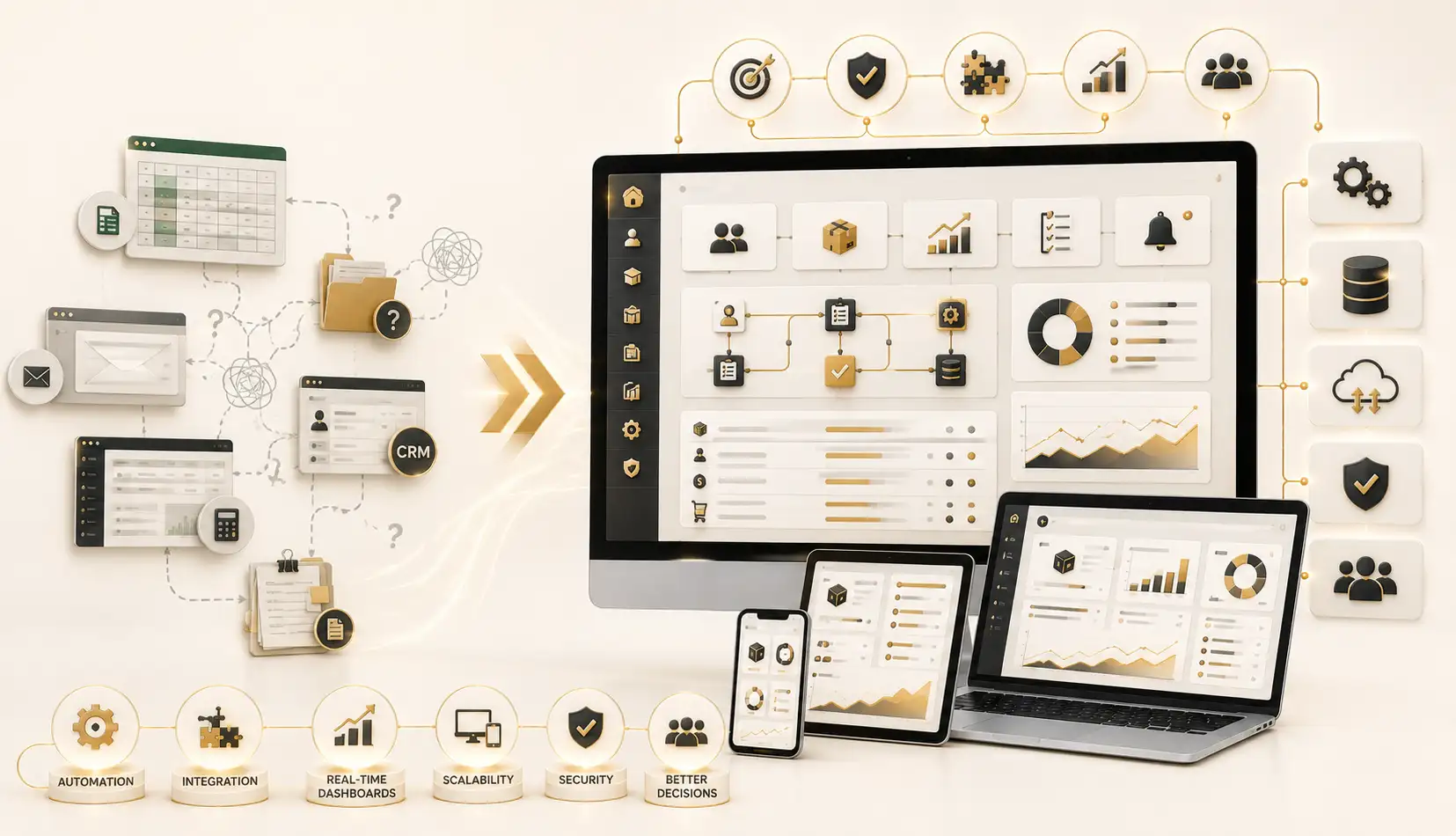
Sales teams spend a surprising amount of time on tasks that are not directly related to selling. Representatives may update spreadsheets, prepare activity reports, assign leads, schedule follow-ups, check inventory, calculate incentives, or send routine messages.
Sales force automation helps reduce this administrative burden by using software to organize and automate repeatable sales activities.
The result is not the replacement of salespeople. Instead, it gives them more time and better information so they can focus on customers, opportunities, and revenue.
What Is Sales Force Automation?
Sales force automation, commonly called SFA, refers to the use of software to manage and automate important parts of the sales process.
An SFA platform may support activities such as:
- Lead assignment
- Customer visit planning
- Follow-up reminders
- Sales order collection
- Territory management
- Attendance and location tracking
- Route planning
- Product catalog access
- Stock visibility
- Expense reporting
- Performance monitoring
- Sales forecasting
The exact features depend on the business.
A company with field sales representatives may need mobile order-taking, route planning, and location-based visit tracking. A business-to-business service company may focus more on proposals, follow-ups, opportunity stages, and sales forecasting.
How Sales Force Automation Works
A sales force automation system creates a structured process for moving prospects and customers through the sales journey.
For example, a new lead may be assigned automatically based on territory or product category. The assigned salesperson receives a notification and schedules a call. If the prospect requests a proposal, the opportunity moves to the next stage. Follow-up reminders are then generated automatically.
Managers can review the progress without waiting for a weekly spreadsheet.
For field sales teams, the process may be different. Representatives can use a mobile application to check their daily visit schedule, record customer orders, view product details, capture payment information, and submit visit notes.
The data becomes available to managers much faster than paper forms or manually prepared reports.
Benefits of Sales Force Automation
The first major benefit is improved productivity.
When routine activities are automated, sales representatives can spend more time speaking with prospects, visiting customers, and developing relationships.
The second benefit is better visibility. Managers can see sales activities, order values, conversion rates, customer visits, and territory performance from a centralized system.
The third benefit is consistency. Every salesperson follows a defined process, which reduces the chance of leads being forgotten or customer information being lost.
Sales force automation can also improve forecasting. When opportunities, orders, and field activity are recorded consistently, managers have more reliable information for planning.
Who Needs Sales Force Automation?
Sales force automation is especially useful for companies with large, distributed, or mobile sales teams.
Consumer Goods and Distribution Companies
Businesses that sell through wholesalers, retailers, or regional distributors often employ field representatives who visit many outlets.
An SFA platform can help representatives plan routes, record orders, view promotions, check stock, and report competitor activity.
Pharmaceutical Companies
Medical representatives often manage scheduled visits to doctors, pharmacies, and healthcare organizations. Automation can help organize territories, visit plans, product information, and activity reporting.
Any implementation in regulated sectors should be designed carefully to support applicable privacy and compliance requirements.
Insurance and Financial Services
Sales teams in insurance and financial services often manage many leads, appointments, documents, and follow-ups. Automation can help representatives prioritize opportunities and maintain accurate records.
Real Estate Companies
Property sales teams may need to track inquiries, schedule viewings, assign leads, record customer preferences, and follow up over long sales cycles.
Business-to-Business Sales Teams
Companies selling technology, equipment, professional services, or industrial products can use SFA software to track opportunities from initial inquiry to final agreement.
Companies Managing Sales Through Spreadsheets
A business does not need hundreds of representatives to benefit from automation. Even a smaller sales team may need SFA software if customer information is scattered across spreadsheets, notebooks, and messaging platforms.
Practical Example
Imagine a beverage distributor with 40 field sales representatives serving supermarkets, restaurants, and small retail stores.
Each representative receives a list of outlets to visit. Orders are written on paper or sent through messaging applications. At the end of the day, office staff re-enter the orders into another system.
This process creates delays. Some orders are incomplete, customer requests are missed, and managers cannot confirm whether all scheduled stores were visited.
With a mobile sales force automation system, each representative could log in to a daily route plan. At the customer location, the representative could review order history, check available products, record a new order, capture notes, and submit the visit.
Managers could monitor visit completion, order volumes, and territory performance through a dashboard.
This would improve both control and speed without requiring representatives to prepare separate manual reports.
SFA Is Not the Same as CRM
Sales force automation and customer relationship management are closely connected, but they are not always identical.
A CRM system generally manages customer relationships across marketing, sales, and service. Sales force automation focuses more specifically on automating sales activities.
Many modern platforms combine both functions. However, businesses should avoid buying a large CRM platform when their main requirement is a focused field-sales solution.
The right choice depends on the company’s process, team structure, and reporting needs.
What to Consider Before Implementation
A successful SFA project requires more than installing software.
The company should define:
- The sales stages
- Territory structure
- Approval processes
- Customer categories
- Required mobile features
- Integration with inventory or accounting systems
- Management reports
- User roles and permissions
User adoption is equally important. If the system is difficult to use, sales representatives may continue relying on older methods.
Training, mobile usability, realistic workflows, and management support can make the difference between successful automation and an unused application.
Final Thoughts
Sales force automation helps companies manage sales activities with greater speed, consistency, and visibility. It is particularly valuable for field sales teams, distributors, service providers, and organizations dealing with large numbers of leads or customer visits.
Businesses interested in digitizing their sales operations can explore the Sales Force Automation Software service offered by NUR Technology Solutions:
https://nurtechnologysolutions.com/services/business-solutions/sales-force-automation-software/
The strongest SFA systems are not simply digital reporting tools. They help salespeople work more effectively while giving managers the information needed to make better decisions.
---
Request Information
Interested in Sales Force Automation?
NUR Technology Solutions
Discuss Your Technology Requirement
Explore the related service or contact our team to discuss a tailored solution for your organization.
Explore Sales Force Automation